2026-08-25
What is the “Customer Portal” from Stream?
The customer portal is a solution built by Stream, to allow your user/subscribers to manage their subscriptions fully through that portal, starting from changing plans, to changing the subscription from a monthly to an annual plan, to adding add-ons to subscriptions, to subscription cancellations, all the way to viewing/downloading all invoices related to the subscription.
So this customer portal takes care of all aspects of the subscription management without any intervention from your support team.
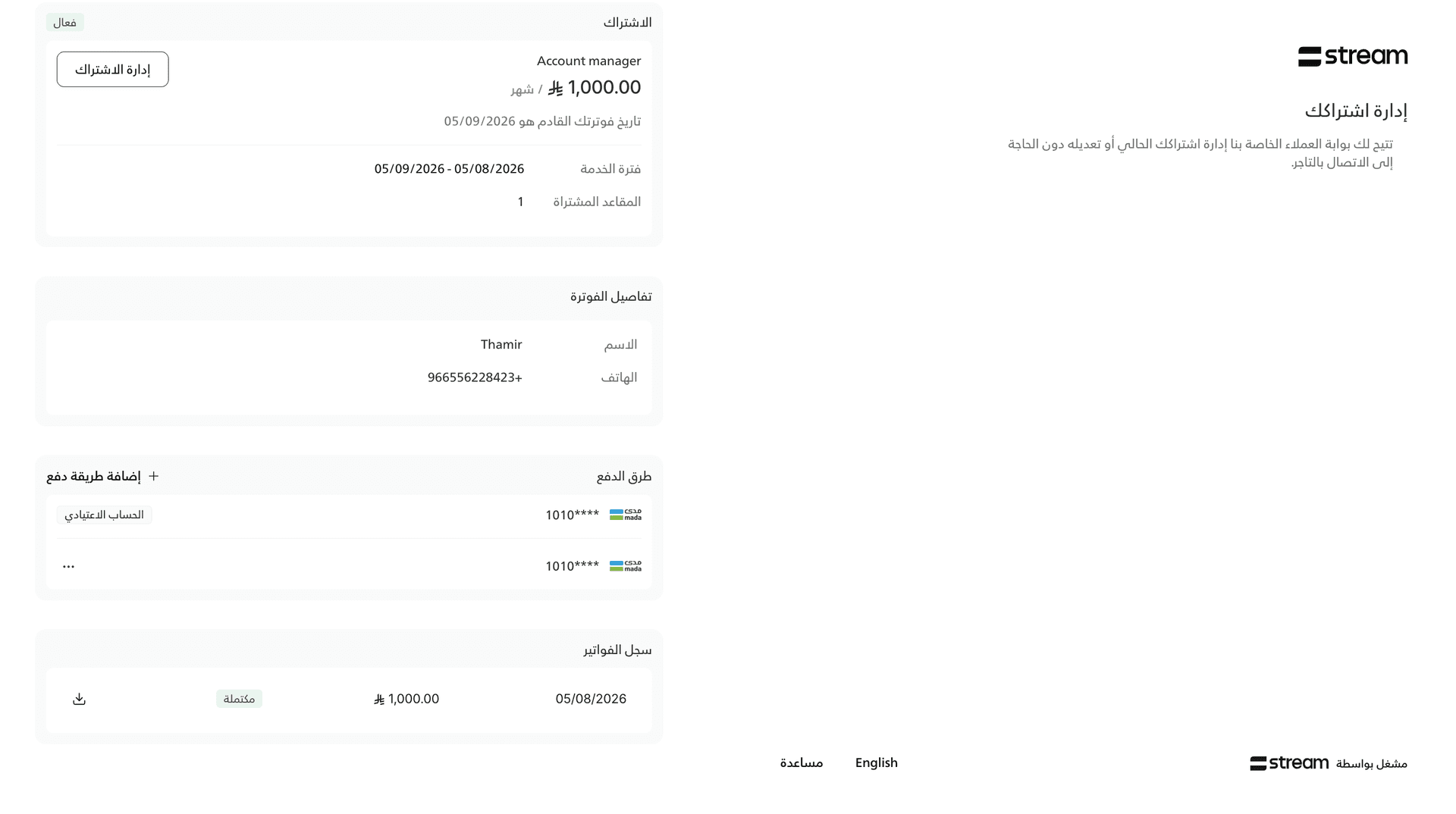
Live Example:
Let’s assume I have a business that offers two subscription plans:
Starter plan (500 SAR)
Growth plan (1000 SAR)
If one of my clients subscribed to the Starter plan, and wanted to upgrade to the Growth plan, how can I facilitate that without friction?
Well, that’s where Stream’s customer portal comes in. The user can go into this self-serve portal and independently manage their subscription within the boundaries you the subscription provider set.
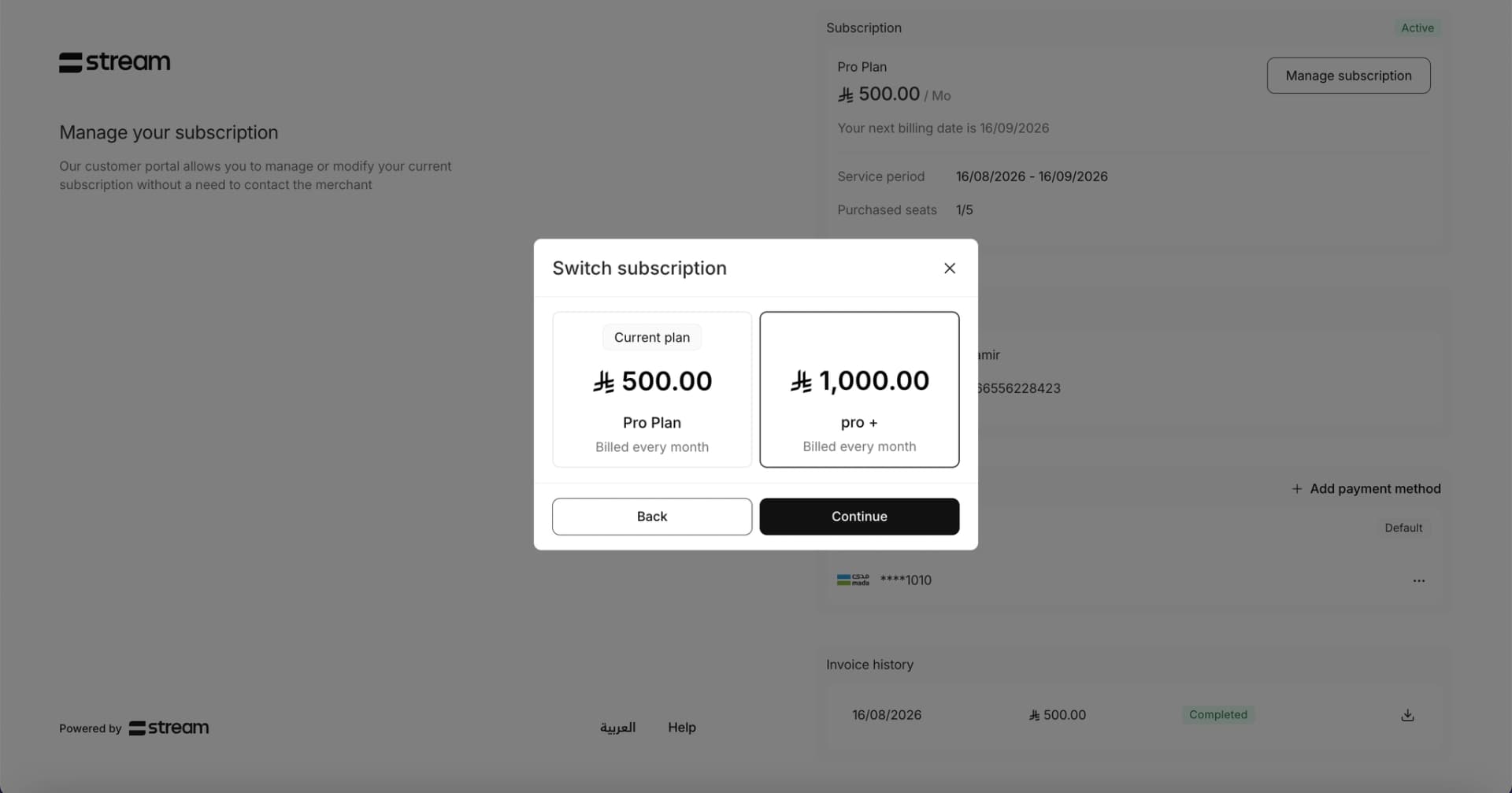
If you as the merchant allow customers to switch from the Starter plan to the Growth plan, the customer will see the change option:
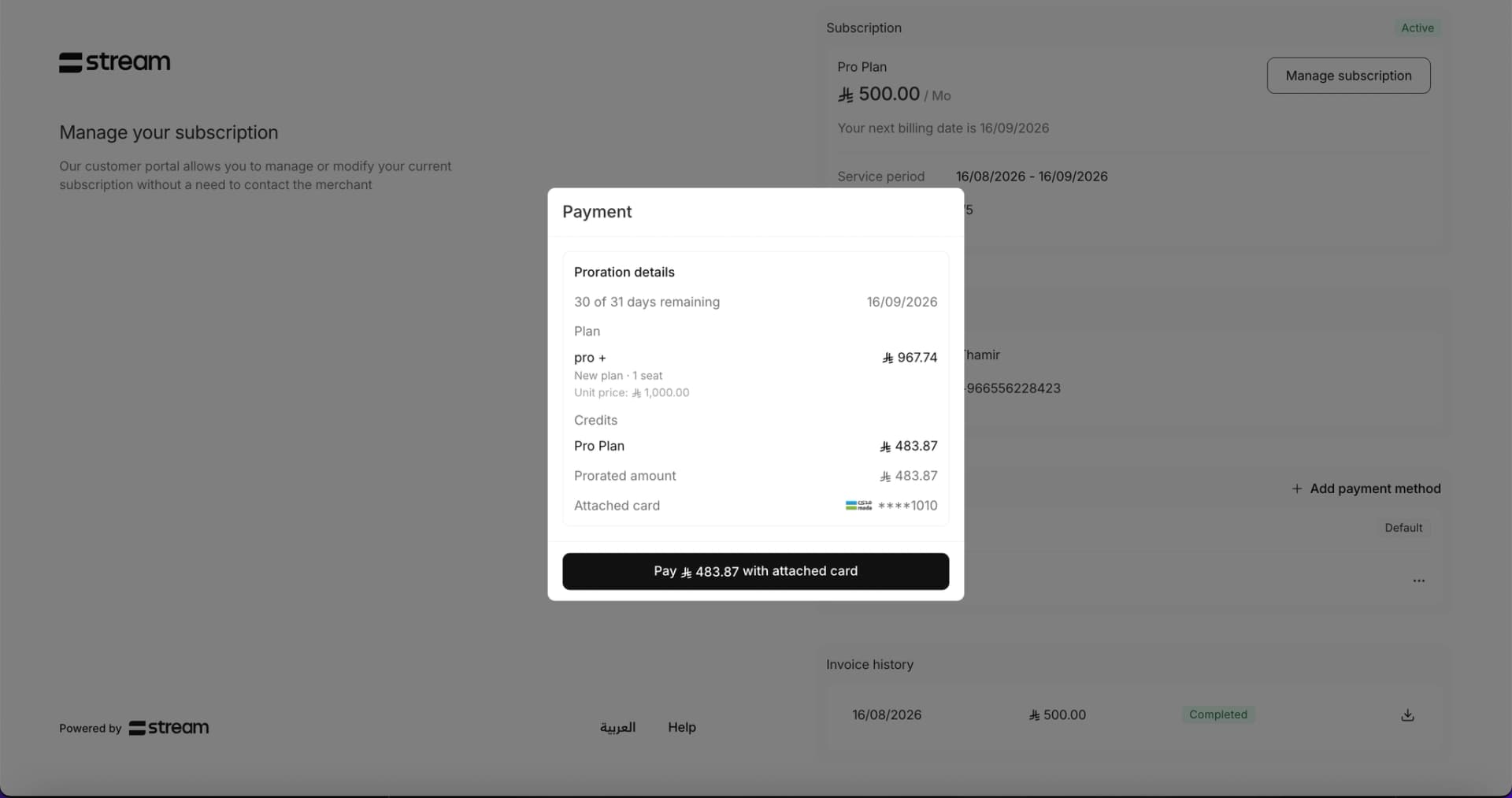
The calculation for the new plan is then done automatically (prorated charge) and displays the required amount for upgrading to the new plan, based on how much time the customer has already consumed. Payment is then completed immediately, and finally the subscription is switched from the Starter plan to the Growth plan. Future renewals will be on the Growth plan:
(Creating the initial subscription is also very simple with Stream. You can create the first subscription by connecting Stream to your website - the documentation explains the integration methods - or through the Stream dashboard - after setting up your account)
Steps to activate the customer portal:
So the question now is, if you want to show this portal to your customers, how can you do that?
As a first step, you must sign up to Stream (or sign in if you already have an account), and then activate your Stream account by uploading the 2 required documents (which will not take more than 2 minutes).
After activating the account and adding the desired products / plans (either through the dashboard or by connecting your website to Stream), go to Settings -> Customer Portal, and choose what you want to display to your customers in the portal. (Do you want to allow customers to switch between specific plans? Do you want to allow customers to cancel any plan? Do you want to allow customers to add certain add-ons? etc.):
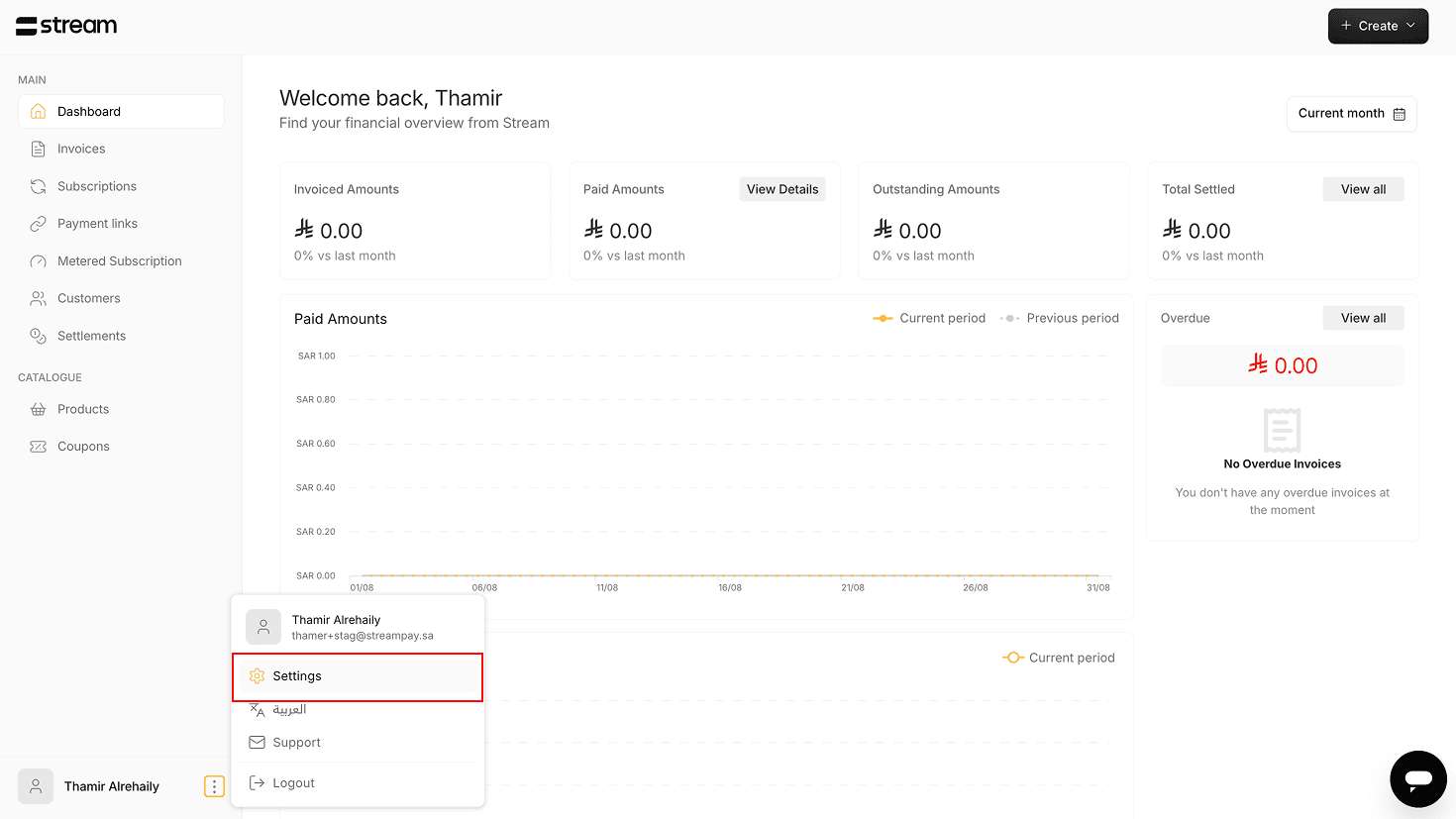
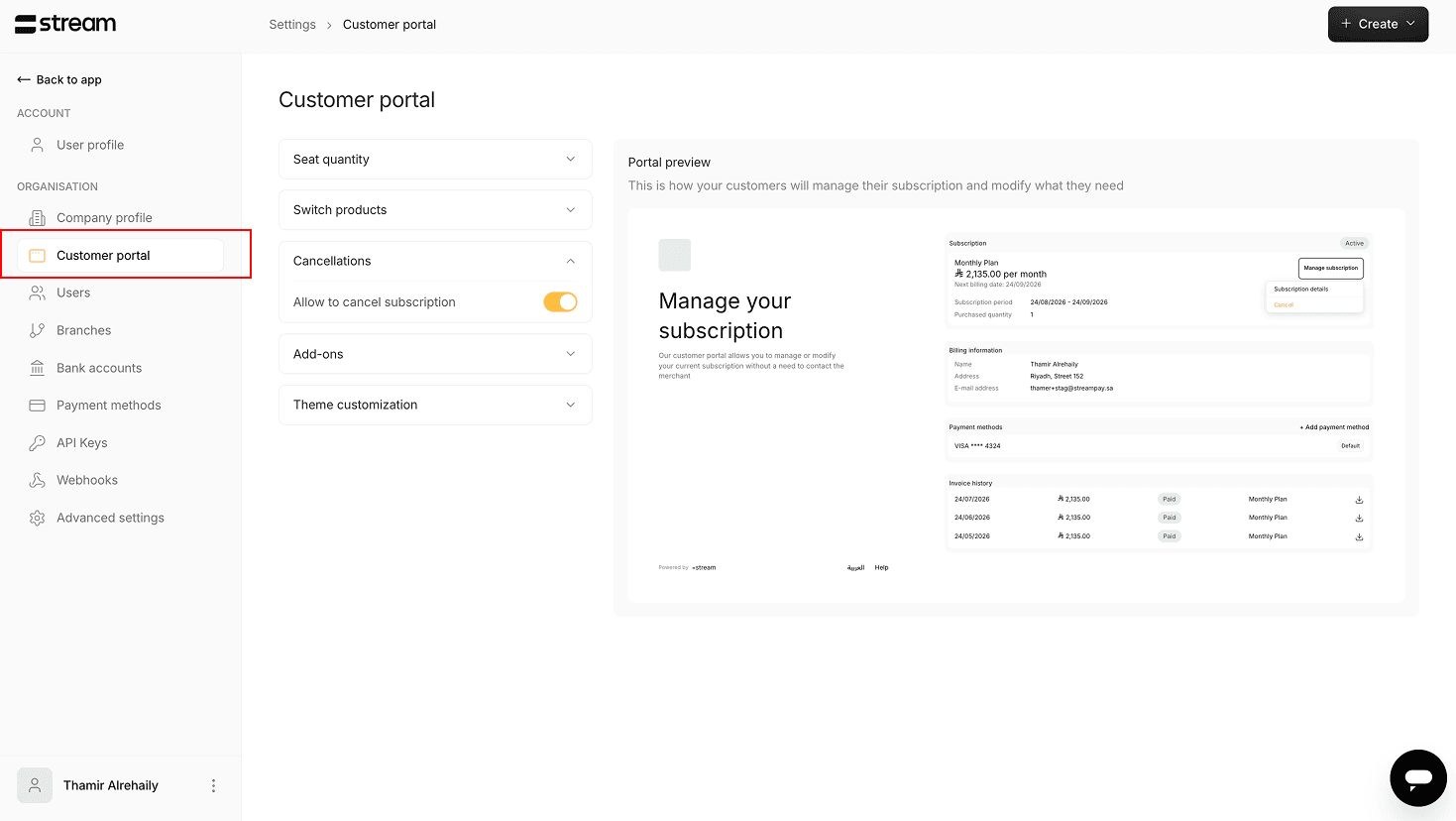
After setting your desired customizations, you finally have to implement a way to allow your customers to view their current subscription’s customer portal, from your website (review our documentation for more information on that). The simple integration will allow each customer of yours to access their own unique customer portal when they click “manage subscription” on your website, for example, and interact with the subscription based on your customizations.